NEW Sync Log 1.0.0 — your agents, on your phone

AI tools for coding.

I’m Curtis Cornell, a developer and web designer. I build tools that make AI coding agents faster, safer and easier to live with, and write about everything I learn along the way.

TypeScriptPythonC++JavaAndroidmacOS & iOSJavaScriptNode.jsElectronHTML & CSSWeb AudioCloudflare WorkersAI agents

Featured project · Sync Log

01 — START

Start an agent on your computer.

Open a terminal or launch Claude Code, Codex, Gemini CLI or any other coding agent inside Sync Log. It runs on your own machine, in your own folders.

02 — WALK AWAY

Close the laptop lid on your worries.

Sessions live in a small background service, so they keep going when you close the window, restart the app or lose Wi-Fi.

03 — ANSWER

Your agent asks. Your phone buzzes.

When an agent needs a decision, you get a notification. Answer from the lock screen and it carries on.

04 — PICK UP

The same terminal, wherever you are.

Open the session on your phone or another computer and you’re looking at the exact same screen — scrollback, colours and all.

Free download · v1.0.0

Sync Log

Keep terminal sessions and coding agents alive on your computer, and reach them from your phone, tablet or any browser.

  • Sessions that survive closed windows, restarts and dropped connections
  • Phone notifications when an agent needs you — answer in one tap
  • Files, Git, live previews of your dev server and voice dictation
  • Private by design: it runs on your machine; you choose how devices connect
Coming soon to theApp Store Coming soon toGoogle Play
Android iPhone macOS Linux Windows — soon
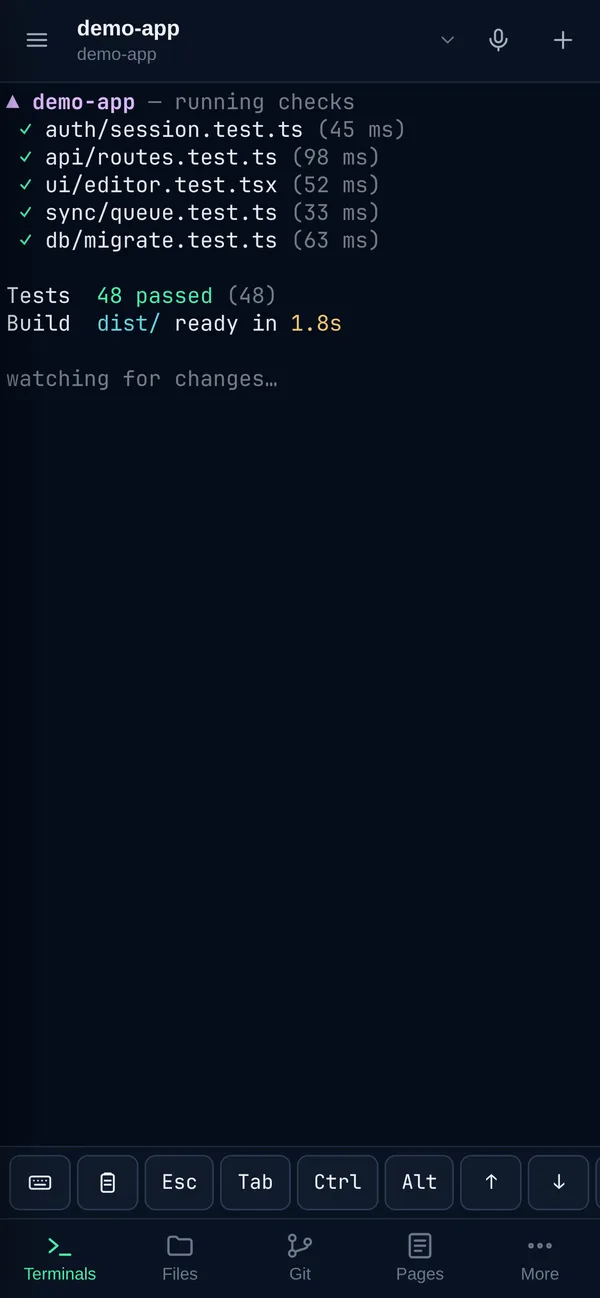
Sync Log on the desktop: a demo-app workspace with checks, dev-server and agent sessions, showing 48 tests passed The same Sync Log session on a phone, with Esc, Tab and Ctrl keys above the keyboard
MyWebCite’s animated citation network linking a listing to Google, ChatGPT, Claude, Gemini and Perplexity

Also built by Curtis · Live

MyWebCite

A web citation directory that helps websites get found by Google and AI assistants — with a scroll-driven canvas homepage that turns the pitch into motion.

  • 33 categories, search, filters and shareable URLs
  • Submit wizard that fills itself from a site’s metadata
  • Accounts, badge verification and premium listings

From the blog

Guides to coding with AI

Plain-English explainers on what AI coding tools are, how they differ, and how to use them without losing control of your code.

What Are AI Coding Tools? A Plain-English Guide

AI coding tools use large language models to suggest, write, explain and test code. Here’s what they are, how they work, what they’re good at and where they still need you.

Autocomplete, Chat or Agent? The Three Kinds of AI Coding Tools

AI coding tools come in three flavours: inline autocomplete, chat assistants and autonomous coding agents. How each works, what each is best at, and how to pick.

Run Coding Agents From Your Phone: Keep AI Working While You’re Away

Coding agents take minutes or hours, and they stop when they need you. How to keep agents running on your own computer and check on them, or answer them, from your phone.

About the developer

Curtis Cornell

Web designer and full-stack developer who lives for AI and the tools that let people build with it. Curtis ships across the stack — websites, desktop apps, Android and Apple apps — in TypeScript, Python, C++, Java and more.

Your agents shouldn’t
stop when you do.

Sync Log is free. Install it on your computer, pair your phone, and leave the long jobs running.